
Guest viewing is limited
- You have a limited number of page views remaining
- 24 guest views remaining
- Register now to remove this limitation
You are using an out of date browser. It may not display this or other websites correctly.
You should upgrade or use an alternative browser.
You should upgrade or use an alternative browser.
Searches Not Yielding Results Desired...

"Computer not so smart, afterall..."
You have indeed found a problem... And you are not really "wrong", but rather perhaps not understanding the limits of the technology.
The problem is that the Search function here (and in many / most? other databases) will search for only *exactly* what you type in, not what you are thinking of.
"e35" gets you bupkis, but "ericson 35" gets you pages and pages of hits.
Reason is, AFAIK, no one used "e35" in their post for title or in content. So, there is simply nothing there for the search engine to see.
Refining your searching gets to be an art in itself. Someday perhaps the Administrator can put up a link with details for searching how-to's for this particular software application.
Meanwhile, best of luck in being a Hunter Gatherer.

Loren
the search could be better. If you type E35 you get nothing - or perhaps I am doing something wrong?
You have indeed found a problem... And you are not really "wrong", but rather perhaps not understanding the limits of the technology.
The problem is that the Search function here (and in many / most? other databases) will search for only *exactly* what you type in, not what you are thinking of.
"e35" gets you bupkis, but "ericson 35" gets you pages and pages of hits.
Reason is, AFAIK, no one used "e35" in their post for title or in content. So, there is simply nothing there for the search engine to see.
Refining your searching gets to be an art in itself. Someday perhaps the Administrator can put up a link with details for searching how-to's for this particular software application.
Meanwhile, best of luck in being a Hunter Gatherer.
Loren

Time to Reindex...
I moved your posts out to a new thread - as the topic is really seperate.
I'll plan on re-indexing the database this weekend, and then we'll see what's what... It's possible that one one of the previous upgrades that search term got snuffed from the index...

//sse
I moved your posts out to a new thread - as the topic is really seperate.
I'll plan on re-indexing the database this weekend, and then we'll see what's what... It's possible that one one of the previous upgrades that search term got snuffed from the index...
//sse
I believe so, yes. The problem is that I've not re-indexed the db in a long time - so it needs to be done. I'll do that tonight, and then we'll take it from there...
//sse
//sse
gareth harris
Sustaining Member
no one used "e35" in their post for title or in content.
Loren
Except every post I have ever made....
I think there is a problem with the search engine, as it seems to turn out every word in the search, rather than highlighting posts with all the words.
Gareth
Freyja E35 #241 1972
Yeah, sorry about that - I've totally dead-headed on this because of a pinup I had this week - and two presentations I had to give. I'll plan on re-indexing the database tomorrow evening (Sat, 1 March) for sure....
Thanks for your patience!
//sse
Thanks for your patience!
//sse
the search could be better. If you type E35 you get nothing - or perhaps I am doing something wrong?
Ok - so I re-indexed the database - twice - and a search on 'E35' comes up empty. If you do 'E35*' you'll get plenty of hits. There is a limit of two words in the search index - I lowered it to one word, but still nothing on E35...
Loren - were we able to get single word searches like this off in the past? I only recall doing something like "E35 Holding Tank", etc... Do you recall?
//sse

Cory B
Sustaining Member
4 character limit?
I've noticed something odd about the search as well... its acting like it needs at least 4 characters to search. I think it used to be 3. It wouldn't be a big deal on most sites, but everyone here wants to search for "e35", "e27", etc.
Thanks for looking into this.
I've noticed something odd about the search as well... its acting like it needs at least 4 characters to search. I think it used to be 3. It wouldn't be a big deal on most sites, but everyone here wants to search for "e35", "e27", etc.
Thanks for looking into this.
My only search complaint is my inability to figure out how to search on a phrase.
If I put in something like "E-35 holding tank" I get a zillion hits with each word highlighted individually.
Loren
If I put in something like "E-35 holding tank" I get a zillion hits with each word highlighted individually.
Loren
Last edited:

Mindscape
Member III
Did we ever come to any decision on searching for phrases? I'm wondering if you can put things in quotes - "xxxxx yyyyy" or use + or - as described. My experience is what Loren described, if I put something in quotes the search engine searchs for either word, not the phrase or combonation of words.
Any ideas? Thanks for your help
Any ideas? Thanks for your help
Searching & Indexing
The issue with these is that I need to restructure part of the database that runs the site. To do that, I'll have to take the Information Exchange offline.
I go on Spring Break next week - so I'll be looking at updating the site anyway, and will re-visit the searching issue to see if it can be resolved at the same time...
//sse
The issue with these is that I need to restructure part of the database that runs the site. To do that, I'll have to take the Information Exchange offline.
I go on Spring Break next week - so I'll be looking at updating the site anyway, and will re-visit the searching issue to see if it can be resolved at the same time...
//sse
Searching Model Numbers
To search for Ericson model numbers, please place an asterisk (*) after the number you're searching for. Examples:
E35*
E35-MKIII*
E25*
E38*
I'm working on the searching issues now, and will be doing maintenance on the site for next several days.
//sse
To search for Ericson model numbers, please place an asterisk (*) after the number you're searching for. Examples:
E35*
E35-MKIII*
E25*
E38*
I'm working on the searching issues now, and will be doing maintenance on the site for next several days.
//sse
Searching on a Phrase
I just tried out the idea of using Google to search the site. It does indeed work on phrases.
In this case a link is not possible, so....
It is a Macworld article called "A shortcut for Googling the current Website"
I did a copy of the actual article and resaved it as a PDF.
I will also post up the RTF version, to see if embedded links stay usable.
Happy Hunting,
Loren
I just tried out the idea of using Google to search the site. It does indeed work on phrases.
In this case a link is not possible, so....
It is a Macworld article called "A shortcut for Googling the current Website"
I did a copy of the actual article and resaved it as a PDF.
I will also post up the RTF version, to see if embedded links stay usable.
Happy Hunting,
Loren
Attachments

Last edited:
Hi, I know databases can be a pain to deal with, but I cannot get any search to work for me, always telling me nothing was found.
I've tried:
e23
E23
"E23"
E23*
What do I need to do? I'd like to find other interesting threads regarding E23's.
Thank you.
Marshall
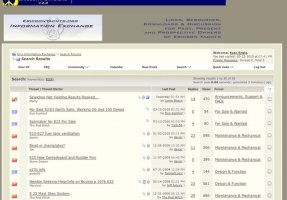
Are you using E23* in the key terms field? I did this, and it brought back lots of E23 citations, including your post (see attached).
Go to: Search\Advanced Search\Keyword
and put in E23* - and then let me know if you're still not getting it (and advise browser/version and OS/version).
Thanks,
//sse
Attachments
-
 E23 Search.jpg82.9 KB · Views: 44

Sven
Seglare
Google is an alternative
If you include
site:http://www.ericsonyachts.org/
in a Google search it will restrict the search to Sean's site but give you all the bells and whistles of Google.
For example, put
E35 site:http://www.ericsonyachts.org/
in the Google search box.
-Sven
If you include
site:http://www.ericsonyachts.org/
in a Google search it will restrict the search to Sean's site but give you all the bells and whistles of Google.
For example, put
E35 site:http://www.ericsonyachts.org/
in the Google search box.
-Sven